Email Encrypted Password Return
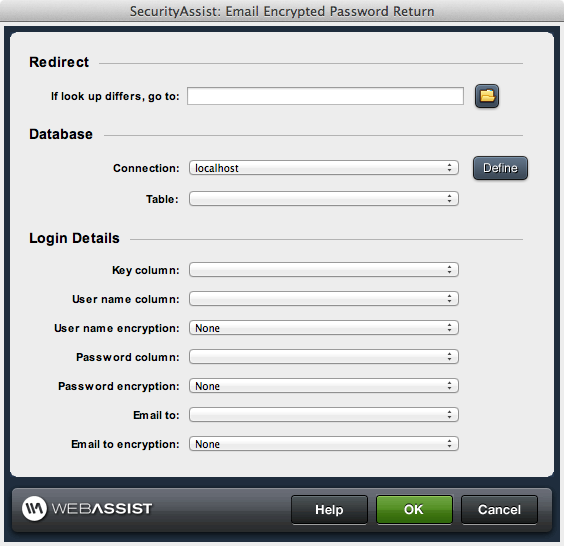
This interface allows you to configure the page that the user is taken to if they receive an email using the Email Encrypted Password interface.
With the return page already open, launch this interface interface via WebAssist > SecurityAssist > Email Password > Email Password Return
- If look up differs, go to: Choose the page that will
- Connection:Choose your database connection.
- Table: Choose the database table being used for user information.
- Key column: Choose the key column.
- User name column: Choose the user name column.
- User name encryption: (if applicable) Choose the encryption being used.
- Password column: Choose the column containing the passwords.
- Password encryption: (if applicable) Choose the encryption being used.
- Email to: Select the column containing the email address.
- Email to encryption: (if applicable) Choose the encryption being used.