Output
The output tab presents options for how CSS is stored and specified, as well as how to save your configuration as a preset. Specifically, the following sections detail:
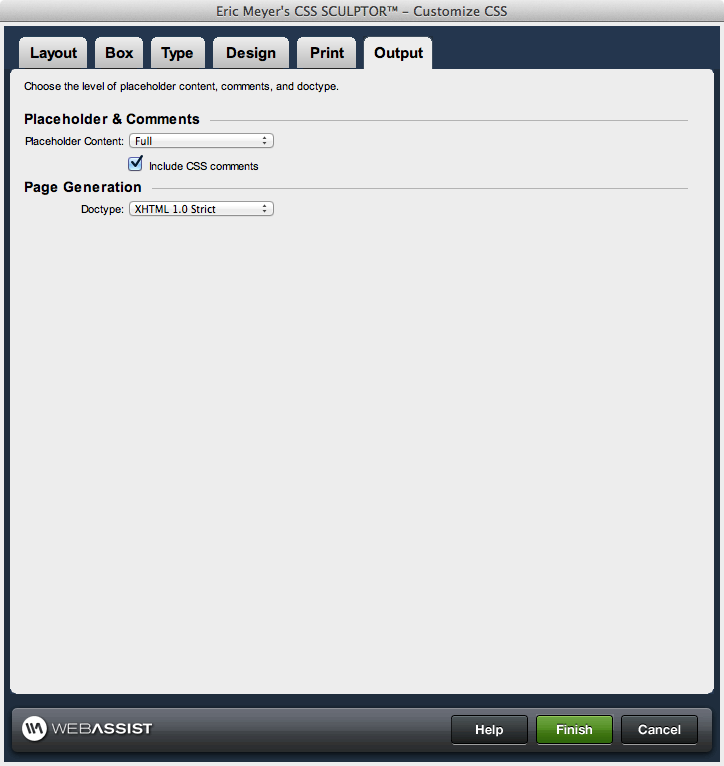
- how the CSS references are stored for both screen and print versions
- configuring what type of placeholder content is generated when the page is created
- including comments in the source code describing how the CSS is structured
- options for saving your layout configuration as a preset
- specifying the document type for the page
Placeholder and Comments
This section determines additional content that is added to the layout when the page is created. This includes placeholder content for the layout components of the page (header, footer, columns, headings, etc.). It also includes comments in the source code to assist in your understanding off how the CSS properties applied control the layout and design of the page.Placeholder content: Select the level of content that should be shown in each layout component when the page is created. Available options are:.
- Full: When selected, includes the name of the layout component in the heading (h1), several lines of lorem ipsum style body text, as well as additional heading levels (h2, h3).
- Minimal: When selected, includes the name of the layout component in the heading (h1), and a single sentence of body text.
- None: When selected, no content is added to the layout components on the page.
Page Generation
This section determines the doctype tag applied to the top of the page, as well as if a new page is created upon completing configuration when a preset is being saved or overwritten.Doctype: Select the doctype tag that should be written to the top of the page. In most cases, XHTML 1.0 Strict is appropriate to use as your document type. More information regarding doctypes can be found in their specification at the W3C website, as linked next to each of the below options:
- XHTML 1.1 (http://www.w3.org/TR/xhtml11/)
- XHTML 1.0 Strict (http://www.w3.org/TR/xhtml1/)
- XHTML 1.0 Transitional (http://www.w3.org/TR/xhtml1/)
- HTML 4.0.1 Strict (http://www.w3.org/TR/html4/)
- HTML 4.0.1 Transitional (http://www.w3.org/TR/html4/)